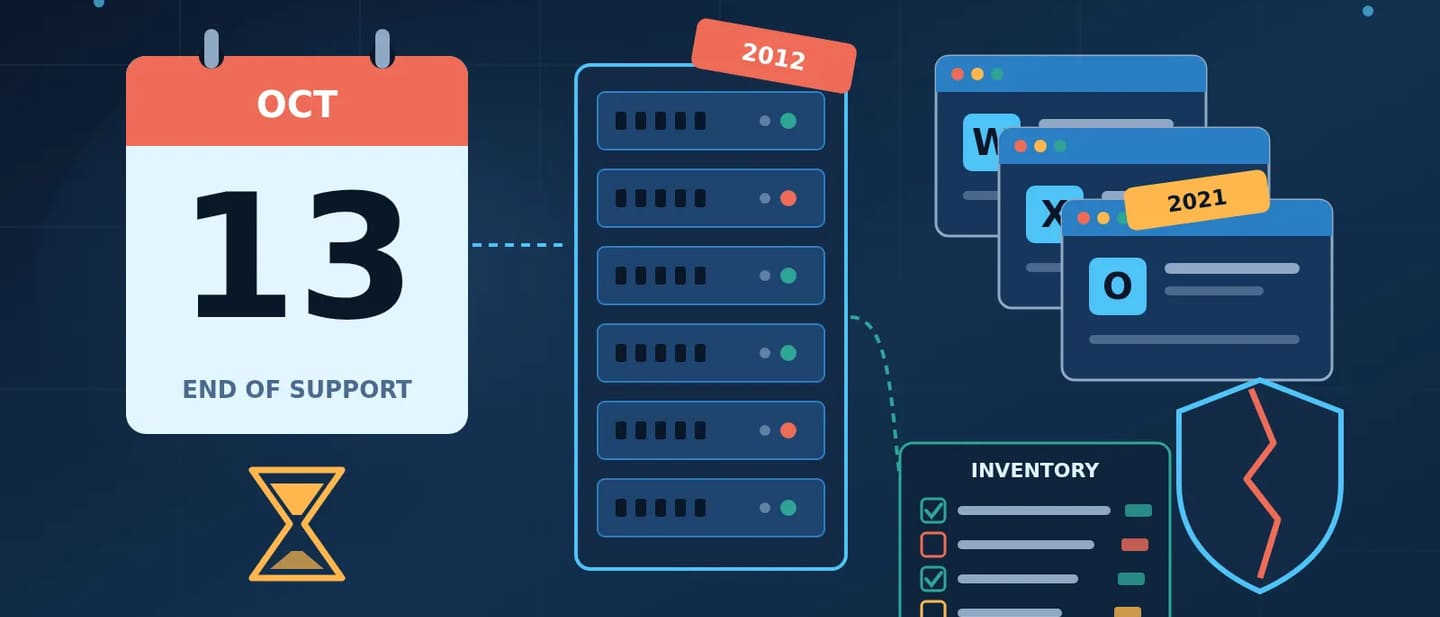
On Tuesday, 13 October 2026 (US time), Microsoft shipped its usual monthly updates. For a long list of products, though, it was the last one. Office 2021 and Office LTSC 2021 reached end of support. Windows Server 2012 and 2012 R2 closed the third and final year of their Extended Security Updates (ESU) program. Windows 10 LTSB 2016 and Windows 11 Home and Pro version 24H2 stopped receiving updates too.
Nothing broke the next morning. Word still opened, servers stayed up, attendance terminals kept logging. That is exactly the problem: software that keeps running without security fixes is easy to forget, until the day it becomes the way in for an incident. Many businesses buy a "perpetual" licence and consider the matter closed. The licence does stay valid. The support has an expiry date.
What stopped on 13 October 2026
According to Microsoft's official "Ending Support in 2026" list and its product lifecycle pages:
- Office 2021 and Office LTSC 2021, including the 2021 versions of Word, Excel, Outlook, PowerPoint, Access, Project, and Visio. Microsoft says there will be no extension and no ESU. The apps "may continue to function", but without bug fixes, security fixes, or technical support.
- Windows Server 2012 and 2012 R2. Extended support already ended on 10 October 2023. What ends now is ESU Year 3, the maximum the program allows. Microsoft's lifecycle page lists the end of ESU as 14 October 2026 at 6:59 a.m. Pacific time, around 8:59 p.m. in Jakarta (WIB).
- Windows 10 LTSB 2016 and Windows 10 IoT Enterprise LTSB 2016, editions often found on point-of-sale terminals, kiosks, and machine-control PCs.
- Windows 11 Home and Pro version 24H2 stopped receiving updates. The fix is a feature update to a newer version, not new hardware.
- Year one of Windows 10 ESU for organizations ended. It costs USD 61 per device in year one and the price doubles each following year, for a maximum of three years. ESU is bought by the year and is cumulative: joining in year two still means paying for year one.
On the same date, Windows Server 2022 moved from mainstream to extended support. That is not dangerous yet, but it means the clock is running.
What keeps running is what carries the risk
Office is the application that opens email attachments, supplier files, and outside links all day. Any new flaw found in Office 2021 after this date will not be patched. There is a subtler effect as well. Microsoft's configuration table says Office apps connecting to Microsoft 365 services such as Exchange Online, SharePoint, and OneDrive must be in mainstream support for the connection to be considered supported. For Office LTSC 2021, that limit is October 2026.
For Windows Server 2012 the room to manoeuvre is even smaller. ESU was designed as a temporary bridge of at most three years, and those three years are now used up. Microsoft's ESU FAQ also states plainly that third-party application control solutions are not a replacement for product security fixes. A server still running a legacy ERP, accounting software, or a file share on Windows Server 2012 is now genuinely unpatched.
Not only Microsoft, and not a surprise
These dates were announced years in advance. Next month the list continues: Microsoft lists .NET 8 (LTS), PowerShell 7.4 (LTS), and the Azure Functions in-process model as ending on 10 November 2026. In open source, PostgreSQL 14 reaches end of life on 12 November 2026, in line with PostgreSQL's policy of supporting each major version for five years.
So the problem is rarely a lack of information. The problem is that nobody owns the calendar and no budget is set aside before the date arrives. We see the same pattern with cloud spending: without a clear owner, numbers on a dashboard do not turn into action.
What it means for businesses in Indonesia
Many SMEs, factories, clinics, distributors, and branch offices in Indonesia buy one-time-purchase Office because it is easier to budget. Many also run an older server in a small office room for ERP, warehousing, or attendance, with application vendors that may not yet support the latest Windows version. That is understandable. The danger is when nobody knows exactly which devices are affected.
Seven steps you can start this week:
- Inventory by version, not by product name. "We use Office" or "we use Windows Server" is not enough. Record the version and edition: Office 2021 or Microsoft 365 Apps, Windows Server 2012 R2 or 2019, PostgreSQL 14 or 16. In Office, you will find it under File, then Account.
- Build a software lifecycle calendar with owners. One simple table listing the system, version, end-of-support date, business owner, and replacement plan. Set reminders 12, 6, and 3 months before each date. A clean component list also helps with software supply chain and SBOM work.
- Sort by exposure. Internet-facing servers and PCs that open outside attachments come first. Isolated machines can follow, with a note. It is the same logic we use for exposure-based patch prioritisation.
- Choose a path per group, not one answer for everything. There are four options: upgrade in place, replace the product (for example Microsoft 365 Apps, or Office LTSC 2024, supported until October 2029), move to the cloud, or retire the system. Microsoft offers free ESU for Windows 10 virtual machines in services such as Azure Virtual Desktop and Windows 365, but compare the total cost, not only the ESU line.
- Test compatibility before a mass migration. Excel macros, add-ins, templates, exports from accounting or ERP software, and printer or scanner drivers are common blockers. Test on a few PCs first.
- Write exceptions with an expiry date. If a system cannot move yet, record the risk owner, the reason, the deadline, and interim controls such as network isolation, restricted access, and blocking macros from the internet. These controls reduce risk; they do not replace patches.
- Put lifecycle into the annual budget. ESU prices that double every year show that delay has a price too. It is cheaper to plan replacements as scheduled projects than as firefighting.
How MarkasDev helps
MarkasDev works as a Technology Partner for operational reliability, in three phases:
- Diagnose: map the systems you run, their versions, end-of-support dates, dependencies between applications, and exposure, then set a priority order and realistic migration paths.
- Deliver: carry out the migration or replacement, including compatibility testing and a rollback plan, with written milestones and acceptance criteria.
- Operate: a retainer with SLAs and monitoring that keeps the lifecycle calendar, patching, and exceptions under control. We explain how this differs from fix-when-broken support in Maintenance vs Operate.
If you are not sure how many systems in your office are now unpatched, book a Diagnose session to build the inventory and a replacement plan.
Sources
- Microsoft Support, "End of support for Office 2021": https://support.microsoft.com/en-us/office/system-requirements/end-of-support-for-office-2021
- Microsoft Learn, "Ending Support in 2026": https://learn.microsoft.com/en-us/lifecycle/end-of-support/end-of-support-2026
- Microsoft Learn, "Product Lifecycle FAQ - Extended Security Updates": https://learn.microsoft.com/en-us/lifecycle/faq/extended-security-updates
- Microsoft Learn, "Windows Server 2012 R2" (product lifecycle): https://learn.microsoft.com/en-us/lifecycle/products/windows-server-2012-r2
- Microsoft Learn, "Extended Security Updates (ESU) program for Windows 10": https://learn.microsoft.com/en-us/windows/whats-new/extended-security-updates
- Microsoft Learn, "Microsoft Office and Windows configuration support": https://learn.microsoft.com/en-us/lifecycle/office-windows-configuration-matrix
- endoflife.date, "PostgreSQL": https://endoflife.date/postgresql
- Key IT, "Office 2021 end of support: what it means for your business" (15 October 2026): https://keyit.com.au/news/office-2021-end-of-support/